

I can finally set this partially aside for a little while. v1.0.0 is now available.

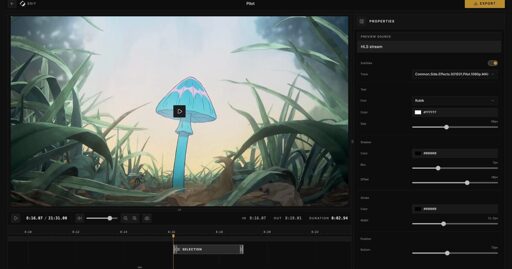
Cliparr is a self-hosted media-clipper that runs *mostly * in your browser to quickly and easily create clips from your personal media. Whether it’s Jellyfin, Plex, or a local video, you can jump in and quickly export a clip in a variety of file types and resolutions.
To use it, you would do something like:
- Watch a video on Jellyfin, pause at something funny.
- Open Cliparr and click “Edit Clip”
- The clip will begin exactly where you paused. Trim to your desired length.
- Customize subtitles, if you desire.
- Click “Export”.
Like I shared a week ago, you will then have something like this
Check out the new website and docs at https://cliparr.dev/ The repo is available here: https://github.com/TechSquidTV/Cliparr
I’ll shamelessly ask you to please share! I can not post on that other site, try as I might.
Right now it just has a resolution toggle but I have been thinking of adding a quality target like we do with screenshots. A file size target is a bit more complicated but technically possible. I think a lot of apps would likely slap a “social media target”. I think we could do something similar.