

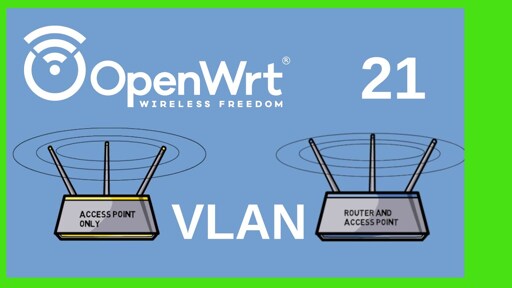
Just wanted to share this Youtube video (Invidious link here) that explains how to configure Openwrt VLANs for your Wifi network! I was struggling for hours today trying to configure VLANs on my Openwrt AP when I found an old Reddit thread linking to this guy’s channel!
He seems to have a whole series on Openwrt, so if you need a complete beginner guide he sounds great!
That thumbnail looks like those routers are making helicopter motions with their antennas to entertain a child.
Absolutely! I would have never been able to setup VLAN if it were not for this video!
You’ve posted this right as I’m about to begin setting up an OpenWrt router. Thanks!
It is also quite a bit dated
What hardware do you recommend?
Are there any that are smart enough for a SMB setting where the APs all scan other networks and then talk to each other and set their own channels and power levels to optimize WiFi traffic with minimal channel or power overlap?
I use a Flint 2, I think I have something like 5 AP’s On it and it covers my whole home. I have a bunch of vLANs as well for the APs and VPN’s. It came with some custom OpenWRT install but I flashed it with a vanilla version instead. I was using an Apple Airport Extreme prior to getting the Flint 2, but my place flooded and I got board so I took up the hobby of home labbing while I wait on insurance to get things rolling (after a few months the flooring is finally going in tomorrow) my original plan was going to be use the Airport as an extender but I did not need that, but yes APs with the same SSID will work together. My Flint 2 has SMB setup to back up its settings to a pi I have on my LAN.
What hardware do you recommend?
Tbh I just picked something that was in their list of supported hardware that also operated with the Wifi bands I needed and had a good amount of Flash and RAM. Try to take the time to research what wifi drivers suck, such as Broadcomm. Mine is a Qualcomm, I got the Linksys MX5300 Velop Mesh, and now that I got my 3 wifi VLANs set it seems pretty nice. Haven’t gotten to use it much though so we’ll see, but I’m excited.
I do recommend checking how many radios it has because I was maybe considering having my Smart TV on it’s own VLAN but I don’t have enough radios for that. Maybe I’ll put it on the IoT VLAN.
Are there any that are smart enough for a SMB setting where the APs all scan other networks and then talk to each other and set their own channels and power levels to optimize WiFi traffic with minimal channel or power overlap?
Sorry, I don’t know anything about this 😅 You’d have to research this.
Many routers support more than one SSID per radio.
Huh, just checked settings and I see that you can add SSIDs to a radio. Awesome, thanks!
Thanks for sharing, i haven’t been able to find a good guide, will check it out. Or more accurately a guide that i can follow with ease.
He’s great (the pace is awesome for new openwrt users) and the information is still correct.
I might get flamed for that, but I just let an llm create me the config files and changed the passwords. That got me already into an working state.
But I think I have to add, that I use the openwrt machine just as dumb access point behind a opnsense box.
But I think I have to add, that I use the openwrt machine just as dumb access point behind a opnsense box.
Ooh, can you go more into that? i have Opnsense as my router and this AP is just supposed to act as a WAP. I was struggling to figure out how to have it pull dhcp from the router and not to configure it on the WAP itself. That and DNS too, if the DNS isn’t configured on the interface then I get no internet access.
Sure, my configs are below, you might have to adapt them to your needs.
I would recommend to backup your files before changing them.
As I said I let an llm generate them, I basically just put in my current version of the files and stated my intend. I dont know if the bellow config is any way optimal, but for now it works. :P
For the IoT Network I had to disable WWM Mode in the GUI afterwards. Furthermore I disabled the 5ghz band for the IoT network. Otherwise my shelly1 devices wouldnt connect to the new wifi.
The rest of the setup I did according to this Guide: beginners-guide-to-set-up-home-network-using-opnsense
/etc/config/network
config interface 'loopback'
        option device 'lo'
        option proto 'static'
        option ipaddr '127.0.0.1'
        option netmask '255.0.0.0'

config globals 'globals'
        option packet_steering '1'

config device
        option name 'br-lan'
        option type 'bridge'
        list ports 'eth0'
        option ipv6 '0'

# --- Bridge VLAN filtering ---
# VLAN 1 = untagged (native/PVID), VLAN 10 = tagged
config bridge-vlan
        option device 'br-lan'
        option vlan '1'
        list ports 'eth0:u*'

config bridge-vlan
        option device 'br-lan'
        option vlan '10'
        list ports 'eth0:t'

# Management interface (VLAN 1)
config interface 'lan'
        option device 'br-lan.1'
        option proto 'static'
        option ipaddr '10.10.10.10'
        option netmask '255.255.255.0'
        option gateway '10.10.10.1'
        list dns '10.10.10.1'
        option delegate '0'

# IoT interface (VLAN 10) — no IP needed, just bridges WiFi to VLAN
config interface 'iot'
        option device 'br-lan.10'
        option proto 'none'
/etc/config/wireless
config wifi-device 'radio0'
        option type 'mac80211'
        option path 'platform/soc/18000000.wifi'
        option band '2g'
        option channel '1'
        option htmode 'HE20'
        option cell_density '0'
        option disabled '0'

config wifi-iface 'default_radio0'
        option device 'radio0'
        option network 'lan'
        option mode 'ap'
        option ssid 'NerdFi'
        option encryption 'sae-mixed'
        option key 'SuperSecretPassword'
        option ocv '0'

config wifi-iface 'iot_radio0'
        option device 'radio0'
        option network 'iot'
        option mode 'ap'
        option ssid 'NerdFi-IoT'
        option encryption 'sae-mixed'
        option key 'SuperSecretPassword'
        option ocv '0'

config wifi-device 'radio1'
        option type 'mac80211'
        option path 'platform/soc/18000000.wifi+1'
        option band '5g'
        option channel '36'
        option htmode 'HE80'
        option disabled '0'

config wifi-iface 'default_radio1'
        option device 'radio1'
        option network 'lan'
        option mode 'ap'
        option ssid 'NerdFi'
        option encryption 'sae-mixed'
        option key 'SuperSecretPassword'
        option ocv '0'

config wifi-iface 'iot_radio1'
        option device 'radio1'
        option network 'iot'
        option mode 'ap'
        option ssid 'NerdFi-IoT'
        option encryption 'sae-mixed'
        option key 'SuperSecretPassword'
        option ocv '0'
/etc/config/dhcp
config dnsmasq
        option domainneeded '1'
        option boguspriv '0'
        option filterwin2k '0'
        option localise_queries '0'
        option rebind_protection '0'
        option rebind_localhost '0'
        option local '/lan/'
        option domain 'lan'
        option expandhosts '0'
        option nonegcache '0'
        option authoritative '0'
        option readethers '0'
        option leasefile '/tmp/dhcp.leases'
        option nonwildcard '0'
        option localservice '0'
        option ednspacket_max '1232'

config dhcp 'lan'
        option interface 'lan'
        option ignore '1'

config dhcp 'iot'
        option interface 'iot'
        option ignore '1'
/etc/config/firewall
config defaults
        option input 'ACCEPT'
        option output 'ACCEPT'
        option forward 'ACCEPT'

config zone
        option name 'lan'
        list network 'lan'
        list network 'iot'
        option input 'ACCEPT'
        option output 'ACCEPT'
        option forward 'ACCEPT'


