

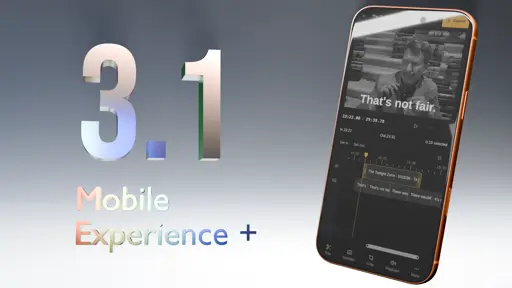
Cliparr 3.1 just released with an overhauled native-like mobile experience and a new cropping tool.

- Release Announcement: cliparr.dev
- GitHub Release: GitHub
What is Cliparr?
Cliparr is an open-source, self-hosted companion tool that integrates directly with your Jellyfin and Plex media servers to make extracting video clips from what you are currently watching seamless.
Cliparr performs 100% of its media tasks, including transcoding, directly in the browser and works on all devices.
What is it for?
Creating clips from your media library: memes for forums, short clips/GIFs for social media, or clean video segments for personal archives and sharing.
What does it need to run?
Almost nothing. Any modern smartphone, tablet, or desktop can run Cliparr. Host it locally alongside your media server and install the PWA directly to your device. It requires no external internet connection and can edit local media completely offline.
AI Disclosure
In accordance with community rules, here is the breakdown of AI involvement in this release:
- Implementation - Assisted
- Testing - Assisted (CI integration, browser automation tests, and extensive manual testing across multiple physical devices were written/executed with AI assistance)
- Documentation - Hint (Release notes and documentation primarily human-authored with minor AI assistance)
Interesting, I could not figure out how to make it use the native subtitles.
Just make sure you can see subtitles in Jellyfin or Plex first. In Plex for example, I often need to use Plex’s subtitle search first and enable subtitles on the stream.
I see them in jellyfin, they just didn’t show up in cliparr. They may be the subtitles built into the MKV file though, it that matters.